


-
202312.12
Stamp protocol: a p2p identity system
If you follow my work much, you’ll know I’m working on Basis, a project with the end goal of supporting a post-capitalist economy. I recently decided to move from the theory of the project into a more concrete implementation. But how? A few years back, I would have reached for blockchain tech but I’ve recently become increasingly suspicious of blockchains as a means for building distributed systems. Their reliance on global consensus means I have to “agree” that a transaction between a fisherman and a street vendor in a coastal town somewhere in Italy is valid…in truth, I don’t give a shit. Let them figure it out. It doesn’t scale and it never will. Blockchains are the ultimate rule-by-committee system where every decision has to be ratified by every participant. Kind of useless for anything beyond banks clearing transfers or dicks scamming idiots with NFTs.
So the next choice is some kind of p2p system. If constructed properly, these systems can scale almost infinitely. However, control mechanisms need to be in place. If some actions in a p2p network protocol are not allowed, who makes sure they aren’t happening? Projects like Holochain try to solve this, and have made decent headway in doing so. In fact, I’ve long followed the Holochain project and been interested in using it for Basis or even Turtl.
One thing that just bugs me about Holochain – and every other p2p system I’ve run into – is that your identity in the system is tied to a single cryptographic key. This key is you: and if the key is lost, “you” no longer exist in the system. This doesn’t end here, though. The “you” key is generated once on one of your devices and forever after lives just on that device with no built-in way to sync it to your other devices. This means there’s a different “you” on your phone, laptop, etc.
Identity in p2p systems has always been an afterthought.
Stamp was born
I originally thought of Stamp as a way to cryptographically provide personal identity within a network. It’s much like PGP in that it works by using cryptographic keys as mechanisms for managing the identity. You can make claims, and others in the system can “stamp” (verify) your claims by signing them. This creates what’s known as a “web of trust.” If I trust Joe, and Joe stamps Jill’s identity, I can now extend a bit of trust to Jill.

Stamp differs from existing key-based identity systems in a few ways, however. It allows creating claims that can be automatically verified, such as the ownership of a domain or URL. It allows claims to be named, opening the door for discovery in other distributed systems (ie, maybe I have an “activitypub” URL claim that points to my Mastodon account).
Another difference is identities in Stamp are not singular objects, but rather collections of “transactions” that are issued by the owner. These transactions link back to previous transactions, creating what’s known as a directed acyclic graph (DAG). This structure allows for auditability, versioning, and easy verification.
Identity management
Of all the differences between Stamp and other identity systems, the most important is that a Stamp identity is not controlled by a single key. Instead, identities have a set of “admin” keys that are assigned abilities using what are known as “policies.” Effectively, a policy is a set of permissions granted to a key or set of keys, allowing those keys to perform certain actions if they are used in the correct combinations.
But why the complexity? Because it opens the door for another paradigm: group management of identities. Now instead of having to build a permissioning system around a singular key that allows someone in a group to create a signature on behalf of an identity, Stamp incorporates the permissioning system directly in the protocol. Policies can grant keys outside of the identity the ability to perform actions within the identity, so before Jill can sign a purchase order on behalf of the company, she needs to get approval from Ted in accounting.
It doesn’t stop at group management, though! One of the most significant problems with existing identity systems is that because they are managed by a single key, if that key is lost then the identity is useless. Stamp solves this: the policy system allows you to specify a recovery mechanism for your identity. You can set up a policy that says “my spouse, brother, and any one of three friends can sign a key replacement transaction” and if you get the correct signatures, you regain access to your identity again. Not bad.
Syncing and storage
Instead of forcing an identity to live on one device and making someone run a bunch of ugly CLI commands in a terminal to move their key to another device, Stamp has built-in private identity syncing for your devices. Although not part of the core identity protocol, the project itself has a layer for keeping your identity synced between your devices.
Included in this syncing, which is accomplished by setting up a p2p network, is public storage of published identities. So ditch those broken GPG key servers…from now on, you only have to look in one place for published identities, and if you’ve got an internet connection, you can look up an identity.
Identity in p2p systems
Ok so I’ve been blathering on and on about this great new identity system. What’s it good for, actually? Remember how I mentioned a Stamp identity is a collection of transactions? Well, turns out, it can issue transactions for things other than just ones that modify the identity.
In fact, Stamp can issue any kind of custom transaction in the same envelope that lets any system that can speak “Stamp” verify that the transaction is valid (when I say “valid” I mean that the transaction is signed by the key(s) required to issue it via the policy system). This means that a Stamp identity can act as a multisig system for issuing transactions in other p2p systems. In effect, p2p systems no longer have to build a concept of identity because Stamp is handling it all for them.
The ability to perform multisig external operations is instrumental for Basis because much of the protocol relies on the ability for groups of people to act as singular economic entities.
What’s next?
The Stamp core protocol is mostly complete at this point. I’m currently working on the network layer of the system: private syncing and publishing. Private syncing is being built in mind with other systems in mind: the next version of Turtl is going to be a p2p system and I’m trying to generalize things in Stamp’s networking layer enough to support Turtl’s need for person-to-person sharing.
Basis has somewhat different requirements though: in effect, groups in Basis have cost allowances that they need to keep their costs under. If they make an order that increases their costs past their allowance, the transaction creating that order is invalid. How do we enforce this effectively? This is a topic of thought for me, and likely involves some sort of federated verification network within the larger p2p system. This is one of those places people reach for a blockchain, and rightly so, however I’d like Basis to be able to run more than 10 transactions a minute so an alternative is needed.
-
201710.27
How to really save Net Neutrality
Net Neutrality is a hot topic in the United States. On the one hand, you have people claiming that government should stay out of the internet. On the other hand, you have people claiming that the internet is much too important to leave in the hands of a few immense telecoms.
What is Net Neutrality?
Net Neutrality is fairly simple. There are many people who will tell you it’s the “government controlling the internet” or “Obamacare for the internet.” This is useless propraganda.
Net Neutrality is the idea that all traffic is treated the same, regardless of its source or destination. From the college student looking at cat photos to the government contractor submitting plans for a new missle prototype: if it’s going over the internet, the packets carrying the information are treated the same.
That’s it.
Why is this important? Well, Comcast has a service, Stream, that competes with Netflix. There are two ways to make money by sidestepping Net Neutrality: Comcast can tell Netflix “pay us a buttload of money every year or we’ll make sure your little streaming service is unusably slow for our customers.” Netflix now has to pony up or lose a large segment of paying customers. On the flipside, Comcast can throttle Netflix and start marketing their Stream service so their customers will more naturally flock away from Netflix.
That’s one example. There are a number of things telecoms can do if Net Neutrality is not enforced:
- Throttle competing services
- Sell tiered internet plans:
- $50 for Basic (Google, Facebook, Twitter)
- $70 for Premium (Basic + CSS, Fox, and 12 other news websites)
- $120 for Platinum (all websites)
- Block websites outright.
Looks bleak.
The principals of Net Neutrality are clearly pro-consumer. Having equal access to all information on the internet without any kind of gatekeeper forcing you into various acceptable pathways is what our country is about: open exchange of ideas.
So why don’t telecoms enforce Net Neutrality?
The problem(s) with the internet in the US
Most big telecoms abhor Net Neutrality as they see it as a barrier to their profit margins. They don’t want to treat traffic equally, going so far as to say it hinders their free speech.
But won’t the free market solve this problem? The answer is “not really.” The free market, as it exists in its current climate, has solved this problem. We are already looking at the solution: A handful of large players, dividing up service areas on gentleman’s agreements, effectively self-enforcing a one-company-per-area monopoly for any given town. In essense, there is no choice in ISP, other than to move to another town.
Another problem is that given that these companies act as gateways to the world’s online information, they are given cash infusions by various governments in order to expand their networks. These expansions either don’t happen at all or if they do, are miniscule compared to the promises made.
In the cases where people decide their town should build fiber lines that are truly owned by the public, the telecoms will file suit and run propaganda campaigns in the towns in order to fight what is essentially free-market competition (with a municipality entering the market as a competitor).
Summary:
- Telecoms are monopolies in the US. There is no “choice” in most locations.
- Telecoms block any competitive choice through collusion or through passing legislation blocking municipal broadband.
- The people of the US have invested billions in telecom infrastructure, but are told we have no choice when deciding the flow of information through the networks we’ve invested in.
The solution: Municipal fiber
Net Neutrality has been ping-ponging in the FCC for a while now. Things were looking good with Wheeler in charge. Now things look dark with Pai. If there is a decisive win either way, the battle will move to congress. Telecoms are pouring money by the truckload into their anti-Net Neutrality campaigns. At the same time there are a vocal group of people fighting to protect NN.
The battle will rage tirelessly for years to come unless we change our methods.
We need to move the battle out of the federal government and into local municipalities. We need to crush the telecoms with public infrastructure. We need fiber in our towns, and LTE towers in our rural areas, all publically owned and operated. Then we can rent out the infrastructure to whoever wants to compete on it.
This creates a level playing field for true competition, while putting the supporting infrastructure where it belongs: in the hands of the public. We have municipal roads. We have municipal water. We have, in many places, municipal power.
It’s time for municipal fiber.
This will end the stranglehold telecoms have on our information. It allows the free market to solve the issue of Net Neutrality through competition, making it something that no longer needs regulatory protection.
The Net Neutrality activists win. The free market fundamentalists win. The only losers are the entrenched powers that are squeezing your wallet while tightening their grip on the flow of information.
Talk to your city/county/state representatives about municipal fiber.
-
A lot of times when I’m programming, I need to write a few lines of code that test what I’m working on. This can be a top-level function call, a few log entries, etc. Much to my dismay, I tended to end up with this debug code committed to git.
I decided I wasn’t going to take it anymore.
Git’s pre-commit hook to the rescue
Now, whenever I add one of these lines, I mark it with a special comment:
console.log('the value is: ', val); // gee, sure hope i don't commit thisbecomes
// DEBUG: remove this log entry
console.log('the value is: ', val);
Then in my pre-commit hook, I symlink a script that checks for
DEBUGcomments in various languages for that repo:#!/bin/sh DEBUG="" function add_to_debug { filetype=$1 comment=$2 next=$( git diff \ --cached \ --name-only \ -G"${comment}[ ]*DEBUG" \ -- "*.${filetype}" ) DEBUG="${DEBUG}${next}" } add_to_debug 'js' '//' add_to_debug 'rs' '//' add_to_debug 'html' '<!--' add_to_debug 'lisp' ';' add_to_debug 'sh' '#' add_to_debug 'hbs' '{{!--' if [ "${DEBUG}" != "" ]; then echo echo "Please address the DEBUG comments in following files before committing:" echo echo "${DEBUG}" | sed 's/^/ /' exit 1 fiUsing this, trying to commit any code that has DEBUG comments will fail with the output:
Please address the DEBUG comments in following files before committing:

  user.js
This forces going back in and cleaning up your code before committing it. Wicked.
Get it yourself
Grab the pre-commit hook off my Github to END THE SUFFERING and stop committing your debug code.
-
I’ll keep this short. I recently installed Ansible 2.0 to manage the Turtl servers. However, once I ran some of the roles I used in the old version, my handlers were not running.
For instance:
# roles/rethinkdb/tasks/main.yml

- name: copy rethinkdb monitrc file
  template: src=monit.j2 dest=/etc/monit.d/rethinkdb
  notify: restart monit
# roles/rethinkdb/handlers/main.yml - include roles/monit/handlers/main.yml# roles/monit/handlers/main.yml - name: restart monit command: /etc/rc.d/rc.monit restartNote that in Ansible <= 1.8, when the monitrc file gets copied over, it would run the
restart monithandler. In 2.0, no such luck.The fix
I found this github discussion which led to this google groups post which says to put this in ansible.cfg:
[defaults]
...
task_includes_static = yes
handler_includes_static = yes
This makes includes pre-process instead of being loaded dynamically. I don’t really know what that means but I do know it fixed the issue. It breaks looping, but I don’t even use any loops in ansible tasks, so

-
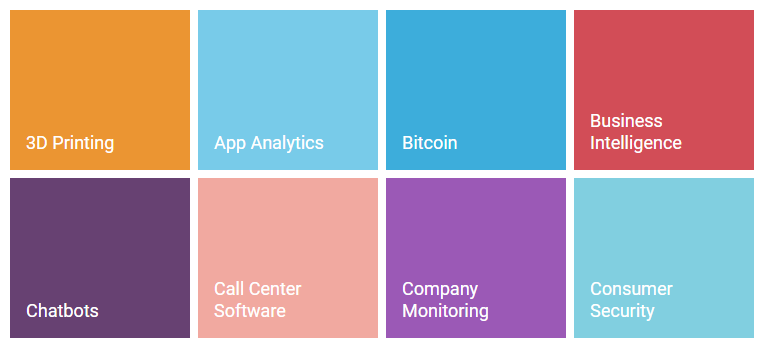
We at MarketSpace just launched our Spaces page! Follow the industries you’re interested in or customize your own.
MarketSpace takes information from various places on the web, puts everything in a standard format, remove duplicates, find companies and people with natural language processing and machine learning, but most importantly: we remove irrelevant items so we don’t send updates to you on things that don’t matter.
Follow companies or entire industries and get alerts through our supported channels:
- RSS
- Google Sheets
- Slack
- Office 365
-
201511.22
SSH public key fix
So once in a while I’ll run into a problem where I can log into a server via SSH as one user via public key, and taking the
authorized_keyskeys and dumping it into another user’s.ssh/folder doesn’t work.There are a few things you can try.
Permissions
Try this:
chmod 0700 .ssh/
chmod 0600 .ssh/authorized_keys
sudo chown -R myuser:mygroup .ssh/
That should fix it 99% of the time.
Locked account
Tonight I had an issue where the permissions were all perfect…checked, double checked, and yes they were fine.
So after poking at it for an hour (instead of smartly checking the logs) I decided to check the logs. I saw this error:
Nov 23 05:26:46 localhost sshd[1146]: User deploy not allowed because account is locked
Nov 23 05:26:46 localhost sshd[1146]: input_userauth_request: invalid user deploy [preauth]
Huh? I looked it up, and apparently an account can become locked if its password is too short or insecure. So I did
sudo passwd deployChanged the password to something longer, and it worked!
Have any more tips on fixing SSH login issues? Let us know in the comments below.
-
201509.05
Nginx returns error on file upload
I love Nginx and have never had a problem with it. Until now.
Turtl, the private Evernote alternative, allows uploading files securely. However, after switching to a new server on Linode, uploads broke for files over 10K. The server was returning a 404.
I finally managed to reproduce the problem in cURL, and to my surprise, the requests were getting stopped by Nginx. All other requests were going through fine, and the error only happened when uploading a file of 10240 bytes or more.
First thing I though was that Nginx v1.8.0 had a bug. Nobody on the internet seemed to have this problem. So I installed v1.9.4. Now the server returned a 500 error instead of a 404. Still no answer to why.
I finally found it: playing with
client_body_buffer_sizeseemed to change the threshold for which files would trigger the error and which wouldn’t, but ultimately the error was still there. Then I read about how Nginx uses temporary files to store body data. I checked that folder (in my case/var/lib/nginx/client_body) and the folder was writeable by thenginxuser, however the parent folder/var/lib/nginxwas owned byroot:rootand was set to0700. I set/var/lib/nginxto be readable/writable by usernginx, and it all started working.Check your permissions
So, check your folder permissions. Nginx wasn’t returning any useful errors (first a 404, which I’m assuming was a bug fixed in a later version) then a 500 error. It’s important to note that after switching to v1.9.4, the Permission Denied error did show up in the error log, but at that point I had already decided the logs were useless (v1.8.0 silently ignored the problem).
Another problem
This is an edit! Shortly after I applied the above fix, I started getting another error. My backend was getting the requests, but the entire request was being buffered by Nginx before being proxied. This is annoying to me because the backend is async and is made to stream large uploads.
After some research, I found the fix (I put this in the backend proxy’s
locationblock:proxy_request_buffering off;This tells Nginx to just stream the request to the backend (exactly what I want).
-
201507.29
Turtl's new syncing architecture
For those of you just joining us, I’m working on an app called Turtl, a secure Evernote alternative. Turtl is an open-source note taking app with client-side encryption which also allows private collaboration. Think like a private Evernote with a self-hosted option (sorry, no OCR yet =]).
Turtl’s version 0.5 (the current version) has syncing, but it was never designed to support offline mode, and requires clients to be online to use Turtl. The newest upcoming release supports fully offline mode (except for a few things like login, password changes, etc). This post will attempt to describe how syncing in the new version of Turtl works.
Let’s jump right in.
Client IDs (or the “cid”)
Each object having a globally unique ID that can be client-generated makes syncing painless. We do this using a few methods, some of which are actually borrowed from MongoDB’s Object ID schema.
Every client that runs the Turtl app creates and saves a client hash if it doesn’t have one. This hash is a SHA256 hash of some (cryptographically secure) random data (current time + random uuid).
This client hash is then baked into every id of every object created from then on. Turtl uses the composer.js framework (somewhat similar to Backbone) which gives every object a unique ID (“cid”) when created. Turtl replaces Composer’s cid generator with its own that creates IDs like so:
12 bytes hex timestamp | 64 bytes client hash | 4 bytes hex counterFor example, the cid
014edc2d6580b57a77385cbd40673483b27964658af1204fcf3b7b859adfcb90f8b8955215970012breaks down as:
 timestamp    client hash                                                      counter
------------|----------------------------------------------------------------|--------
014edc2d6580 b57a77385cbd40673483b27964658af1204fcf3b7b859adfcb90f8b895521597 0012
 |                                    |                                        |
 |- 1438213039488                     |- unique hash                           |- 18
The timestamp is a
new Date().getTime()value (with leading 0s to support longer times eventually). The client hash we already went over, and the counter is a value tracked in-memory that increments each time a cid is generated. The counter has a max value of 65535, meaning that the only way a client can produce a duplicate cid is by creating 65,535,001 objects in one second. We have some devoted users, but even for them creating 65M notes in a second would be difficult.So, the timestamp, client hash, and counter ensure that each cid created is unique not just to the client, but globally within the app as well (unless two clients create the same client hash somehow, but this is implausible).
What this means is that we can create objects endlessly in any client, each with a unique cid, use those cids as primary keys in our database, and never have a collision.
This is important because we can create data in the client, and not need server intervention or creation of IDs. A client can be offline for two weeks and then sync all of its changes the next time it connects without problems and without needing a server to validate its object’s IDs.
Using this scheme for generating client-side IDs has not only made offline mode possible, but has greatly simplified the syncing codebase in general. Also, having a timestamp at the beginning of the cid makes it sortable by order of creation, a nice perk.
Queuing and bulk syncing
Let’s say you add a note in Turtl. First, the note data is encrypted (serialized). The result of that encryption is shoved into the local DB (IndexedDB) and the encrypted note data is also saved into an outgoing sync table (also IndexedDB). The sync system is alerted “hey, there are outgoing changes in the sync table” and if, after a short period, no more outgoing sync events are triggered, the sync system takes all pending outgoing sync records and sends them to a bulk sync API endpoint (in order).
The API processes each one, going down the list of items and updating the changed data. It’s important to note that Turtl doesn’t support deltas! It only passes full objects, and replaces those objects when any one piece has changed.
For each successful outgoing sync item that the API processes, it returns a success entry in the response, with the corresponding local outgoing sync ID (which was passed in). This allows the client to say “this one succeeded, remove it from the outgoing sync table” on a granular basis, retrying entries that failed automatically on the next outgoing sync.
Here’s an example of a sync sent to the API:
[
    {id: 3, type: 'note', action: 'add', data: { <encrypted note data> }}
]
and a response:
{
    success: [
        {id: 3, sync_ids: ['5c219', '5c218']}
    ]
}
We can see that sync item “3” was successfully updated in the API, which allows us to remove that entry from our local outgoing sync table. The API also returns server-side generate sync IDs for the records it creates in its syncing log. We use these IDs passed back to ignore incoming changes from the API when incoming syncs come in later so we don’t double-apply data changes.
Why not use deltas?
Wouldn’t it be better to pass diffs/deltas around than full objects? If two people edit the same note in a shared board at the same time, then the last-write-wins architecture would overwrite data!
Yes, diffs would be wonderful. However, consider this: at some point, an object would be an original, and a set of diffs. It would have to be collapsed back into the main object, and because the main object and the diffs would be client-encrypted, the server has no way of doing this.
What this means is that the clients would not only have to sync notes/boards/etc but also the diffs for all those objects, and collapse the diffs into the main object then save the full object back to the server.
To be clear, this is entirely possible. However, I’d much rather get the whole-object syncing working perfectly before adding additional complexity of diff collapsing as well.
Polling for changes
Whenever data changes in the API, a log entry is created in the API’s “sync” table, describing what was changed and who it affects. This is also the place where, in the future, we might store diffs/deltas for changes.
When the client asks for changes, at does so using a sequential ID, saying “hey, get me everything affecting my profile that happened after <last sync id>”.
The client uses long-polling to check for incoming changes (either to one’s own profile or to shared resources). This means that the API call used holds the connection open until either a) a certain amount of time passes or b) new sync records come in.
The API uses RethinkDB’s changefeeds to detect new data by watching the API’s sync table. This means that changes coming in are very fast (usually within a second of being logged in the API). RethinkDB’s changefeeds are terrific, and eliminate the need to poll your database endlessly. They collapse changes up to one second, meaning it doesn’t return immediately after a new sync record comes in, it waits a second for more records. This is mainly because syncs happen in bulk and it’s easier to wait a bit for a few of them than make five API calls.
For each sync record that comes in, it’s linked against the actual data stored in the corresponding table (so a sync record describing an edited note will pull out that note, in its current form, from the “notes” table). Each sync record is then handed back to the client, in order of occurence, so it can be applied to the local profile.
The result is that changes to a local profile are applied to all connected clients within a few seconds. This also works for shared boards, which are included in the sync record searches when polling for changes.
File handling
Files are synced separately from everything else. This is mainly because they can’t just be shoved into the incoming/outgoing sync records due to their potential size.
Instead, the following happens:
Outgoing syncs (client -> API)
Then a new file is attached to a note and saved, a “file” sync item is created and passed into the ougoing sync queue without the content body. Keep in mind that at this point, the file contents are already safe (in encrypted binary form) in the files table of the local DB. The sync system notices the outgoing file sync record (sans file body) and pulls it aside. Once the normal sync has completed, the sync system adds the file record(s) it found to a file upload queue (after which the outgoing “file” sync record is removed). The upload queue (using Hustle) grabs the encrypted file contents from the local files table uploads it to the API’s attachement endpoint.
Attaching a file to a note creates a “file” sync record in the API, which alerts clients that there’s a file change on that note they should download.
It’s important to note that file uploads happen after all other syncs in that bulk request are handled, which means that the note will always exist before the file even starts uploading.
Encrypted file contents are stored on S3.
Incoming syncs (API -> client)
When the client sees an incoming “file” sync come through, much like with outgoing file syncs, it pulls the record aside and adds it to a file download queue instead of processing it normally. The download queue grabs the file via the note attachment API call and, once downloaded, saves it into the local files database table.
After this is all done, if the note that the file is attached to is in memory (decrypted and in the user’s profile) it is notified of the new file contents and will re-render itself. In the case of an image attachment, a preview is generated and displayed via a Blob URL.
What’s not in offline mode?
All actions work in offline mode, except for a few that require server approval:
- login (requires checking your auth against the API’s auth database)
- joining (creating an account)
- creating a persona (requires a connection to see if the email is already taken)
- changing your password
- deleting your account
What’s next?
It’s worth mentioning that after v0.6 launches (which will include an Android app), there will be a “Sync” interface in the app that shows you what’s waiting to be synced out, as well as file uploads/downloads that are active/pending.
For now, you’ll just have to trust that things are working ok in the background while I find the time to build such an interface =].
-
201507.21
Hackernews: a typical day
-
How I rewrote my IRC bot in just 400K lines of Javscript (uselessshit.github.io)
13 points by jobless_wanker | 2 comments -
Ask PG: What time is it?
569 points by lostmywatch | 430 comments -
Why I stopped holding the door open for people and you should too (medium.com)
433 points by condescendingprick | 103 comments -
Ask HN: What to do if you get violent diarrhea during a VC pitch?
892 points by stevejobsno1fan | 504 comments -
Silicon Valley is NOT in a bubble (medium.com)
133 points by vc_stroker | 92 comments -
How I saved 20 microseconds per request by spending eight weeks rewriting my entire app (whocares.io)
4 points by pinchitout | 0 comments -
Swift is so cool. It's sooo much better than Obj C. Right guys? (stackoverflow.com)
666 points by applerules | 324 comments -
Ten reasons why straight white males are actually much more oppressed than anyone else (medium.com)
5981 points by cisguy1488 | 890 comments -
Something Something brogrammer amirite?? (nytimes.com)
366 points by loveskarma | 42 comments -
Ask HN: My boss made an offhand remark. Should I steal all his code and start a competing company?
402 points by whiner49er | 12 comments -
OH MY GOD THERE'S SOMETHING CALLED MALWARE HAVE YOU GUYS HEARD OF THIS? (nytimes.com)
866 points by linkbaitr | 234 comments -
How I sold Javscript by using Javscript to Javscript Javscripts (standard.github.io)
133 points by luvjs | 132 comments -
Show HN: a Javscript to x86 assembly transpiler in just four lines of Python (github.com)
8033 points by gassy77 | 482 comments -
How I threw out my Macbook and started coding using only an iPhone (medium.com)
210 points by complete_douche | 153 comments -
Ask HN: One of my employees stole all our code and IP and started a competing company. What do I do?
17 points by bigpapa | 3 comments -
NetTech Solutions acquired by Webbbbblerbler for $1.3B (screw-our-customers-we-got-acquired.nettech.com)
399 points by cya | 144 comments -
Show HN: I ran over my pet frog with my office chair and a bunch of Javscript squirted out (github.com)
4003 points by frogjerk | 884 comments -
New transistor the size of a car will revolutionize macroprocessors (time to market: 18 years) (intel.com)
12 points by almost_there | 2 comments -
How I got fired after throwing out my Macbook and started coding using only an iPhone (medium.com)
302 points by complete_douche | 69 comments -
Scaling a 47mb Postgres database using only 18 sharded/replicated servers (toomuchtime.github.io)
999 points by premature_ejoptimizer | 503 comments -
Why you should use Github for everything or you are a complete idiot (trust.me)
349 points by zealotry101 | 202 comments -
Github considered harmful (moreblogs.com)
402 points by i_didnt_rtfm | 239 comments -
[Flagged] Why torturing animals for scientific gain is a bad idea
0 points by progress_h8er | 0 comments -
What I learned from not wiping my butt for 19 days (medium.com)
344 points by justcuz | 194 comments -
Rewriting our single-threaded time tracking software in Erlang (and why Erlang sucks) (dev-xpert.com)
45 points by windbaggio | 4 comments -
Everything Apple does is amazing. If you criticize them in any way, I WILL downvote you (apple-buttboy.com)
456 points by blowhard | 320 comments -
MongoDB raises a $4.7 trillion series V (blog.mongodb.com)
320 points by money_talk | 255 comments -
How MongoDB destroyed my life and I now live under a bridge giving handjobs for scraps of food (brij.ly)
10 points by bridge_tosser | 3 comments -
Ask PG: Do these shoes make my butt look big?
2045 points by no_ragrets | 1057 comments -
Apple does something incredibly mundane that ten companies have already done (apple.com)
4388 points by moar_applez | 2000 comments -
WeBlow is hiring an interview specialist
1 hour ago -
Ask HN: Why won't women date me? Is it because they find me too attractive?
707 points by dnd_dragonlord | 400 comments -
Intro to programming (1976) (oldcrap.com)
390 points by i_post_irrelevant_trash | 76 comments -
Show HN: I made a useless VM that nobody cares about at all in Python (github.com)
303 points by lovemeplease | 198 comments -
The tech industry is no longer sexist (medium.com)
302 points by whitemale1212 | 86 comments -
Slicky's HR department is hiring! Help change the world! (petite blondes w/ large naturals only)
8 days ago -
Using bloom filters to process an array of seventeen elements (standford.edu)
122 points by i_can_read | 100 comments -
A Python to Javscript compiler generator framework in 70K lines of obscure Ruby code (github.com)
412 points by ruby_is_the_way | 256 comments -
Haskell is superior to Lisp because monads. If you disagree you're wrong. (metabullshit.io)
313 points by never_tried_lisp | 102 comments -
Why you should build your entire infrastructure on top of my shitty weekend side project (datatoilet.github.io)
923 points by theone | 402 comments -
How I used Hadoop to process a 600kb CSV file (csvcrunch.github.io)
682 points by i_heart_bigdata | 211 comments -
Ask PG: Will you be my best friend?
569 points by butickler | 430 comments -
Taxes are literally rape (libertarian-news.com)
780 points by bootstrappy_mctrustfund | 599 comments -
Seven reasons aging should be considered a disease (and why I should live forever) (obscureblog.com)
450 points by narcissist_moron | 1023 comments -
How I started a successful company with only a high school diploma and an $8M trust fund (medium.com)
870 points by webepreneur | 377 comments
-
-
This will be short but sweet. When deploying some new servers today, I ran into a problem where no matter what, sudo bitched about syntax errors in my sudoers file. I tried a bunch of different options/whitespace tweaks/etc and nothing worked.
deploy ALL= NOPASSWD: monit restart my-appLooks fine right? Nope.
Use absolute paths
This fixed it:
deploy ALL= NOPASSWD: /usr/bin/monit restart my-appEveryone in the world's advice is to "just use visudo" but I couldn't find any info on what was actually causing the syntax error. Hopefully this helps a few lost souls.
-
201407.21
Composer.js v1.0 released
The Composer.js MVC framework has just released version 1.0! Note that this is a near drop-in replacement for Composer v0.1.x.
There are some exciting changes in this release:
- Composer no longer requires Mootools... jQuery can be used as a DOM backend instead. In fact, it really only needs the selector libraries from Moo/jQuery (Slick/Sizzle) and can use those directly. This means you can now use Composer in jQuery applications.
- Controllers now have awareness of more common patterns than before. For instance, controllers can now keep track of sub-controllers as well as automatically manage bindings to other objects. This frees you up to focus on building your app instead of hand-writing boilerplate cleanup code (or worse, having rogue objects and events making your app buggy).
- The ever-popular RelationalModel and FilterCollection are now included by default, fully documented, and considered stable.
- New class structures in the framework expose useful objects, such as Composer.Class which gives you a class structure to build on, or Composer.Event which can be used as a standalone event bus in your app.
- There's now a full test suite so people who want to hack away on Composer (including us Lyon Bros) can do so without worrying about breaking things.
- We updated the doc site to be much better organized!
Breaking changes
Try as we might, we couldn't let some things stay the same and keep a clear conscience. Mainly, the problems we found were in the Router object. It no longer handles hashbang (
#!) fallback...it relies completely on History.js to handle this instead. It also fixes a handful of places where non-idiomatic code was used (see below).Composer.Router: the
on_failureoption has been removed. Instead ofvar router = new Composer.Router(routes, {on_failure: fail_fn});you do
var router = new Composer.Router(routes); router.bind('fail', fail_fn);- Composer.Router: The
register_callbackfunction has been removed. In order to achieve the same functionality, userouter.bind('route', myfunction);. - Composer.Router: The "preroute" event now passes
{path: path}as its argument instead ofpath. This allows for easier URL rewriting, but may break some apps depending on the old method. - Composer.Router: History.js is now a hard requirement.
Sorry for any inconvenience this causes. However, since the rest of the framework is backwards compatible, you should be able to just use the old Composer.Router object with the new framework without any problems if you don't wish to convert your app.
Have fun!
Check out the new Composer.js, and please open an issue if you run into any problems. Thanks!
- The Lyon Bros.
-
I recently embarked on a project to rebuild the main functionality of Turtl in common lisp. This requires embedding lisp (using ECL) into node-webkit (or soon, Firefox, as node-webkit is probably getting dumped).
To allow lisp and javascript to communicate, I made a simple messaging layer in C that both sides could easily hook into. While this worked, I stumbled on nanomsg and figured it couldn't hurt to give it a shot.
So I wrote up some quick bindings for nanomsg in lisp and wired everything up. So far, it works really well. I can't tell if it's faster than my previous messaging layer, but one really nice thing about it is that it uses file descriptors which can be easily monitored by an event loop (such as cl-async), making polling and strange thread < --> thread event loop locking schemes a thing of the past (although cl-async handles all this fairly well).
This simplified a lot of the Turtl code, and although right now it's only using the nanomsg "pair" layout type, it could be easily expanded in the future to allows different pieces of the app to communicate. In other words, it's a lot more future-proof than the old messaging system and probably a lot more resilient (dedicated messaging library authored by 0MQ mastermind beats hand-rolled, hard-coded simple messaging built by non-C expert).
-
Lately I've been neck-deep in embedding. Currently, I'm building a portable (hopefully) version of Turtl's core features in ECL.
Problem is, when embedding turtl-core into Node-webkit or Firefox, any output that ECL writes to
STDOUTtriggers:C operation (write) signaled an error. C library explanation: Bad file descriptor.Well it turns out Windows doesn't let you write to
STDOUTunless a console is available, and even if using msys, it doesn't create a console for GUI apps. So here's a tool (in lisp, of course) that will let you convert an executable between GUI and console.Seems to work great. Special thanks to death.
-
It can be nice to access your FF extension's variables/functions from the browser console (
ctrl+shift+j) if you need some insight into its state.It took me a while to figure this out, so I'm sharing it. Somewhere in your extension, do:
var chromewin = win_util.getMostRecentBrowserWindow();
chromewin.my_extension_state = ...;
Now in the browser console, you can access whatever variables you set in the global variable
my_extension_state. In my case, I used it to assign a function that lets me evaluate code in the addon's background page. This lets me gain insight into the background page's variables and state straight from the browser console.Note! This is a security hole. Only enable this when debugging your extension/addon. Disable it when you release it.
-
201309.22
Turtl: an encrypted Evernote alternative

Hi FORKS. Tuesday I announced my new app, Turtl for Chrome (and soon Firefox). Turtl is a private Evernote alternative. It uses AES-256bit encryption to obscure your notes/bookmarks before leaving the browser. What this means is that even if your data is intercepted on the way to the server or if the server itself is compromised, your data remains private.
Even with all of Turtl's privacy, it's still easy to share boards with friends and colleagues: idea boards, todo lists, youtube playlists, etc. With Turtl, only you and the people you share with can see your data. Not even the guys running the servers can see it...it's just gibberish without the key that you hold.
One more thing: Turtl's server and clients are open-source under the GPLv3 license, meaning anyone can review the code or use it for themselves. This means that Turtl can never be secretly compromised by the prying hands of hackers or government gag orders. The world sees everything we do.
So check out Turtl and start keeping track of your life's data. If you want to keep up to date, follow Turtl on Twitter.
-
A while ago, I released cl-async, a library for non-blocking programming in Common Lisp. I've been updating it a lot over the past month or two to add features and fix bugs, and it's really coming along.
My goal for this project is to create a general-purpose library for asynchronous programming in lisp. I think I have achieved this. With the finishing of the futures implementation, not only is the library stable, but there is now a platform to build drivers on top of. This will be my next focal point over the next few months.
There are a few reasons I decided to build something new. Here's an overview of the non-blocking libraries I could find:
- IOLib - An IO library for lisp that has a built-in event loop, only works on *nix.
- Hinge - General purpose, non-blocking library. Only works on *nix, requires libev and ZeroMQ.
- Conserv - A nice layer on top of IOLib (so once again, only runs on *nix). Includes TCP client/server and HTTP server implementations. Very nice.
- teepeedee2 - A non-blocking, performant HTTP server written on top of IOLib.
I created cl-async because of all the available libraries, they are either non-portable, not general enough, have too many dependencies, or a combination of all three. I wanted a library that worked on Linux and Windows. I wanted a portable base to start from, and I also wanted tools to help make drivers.
Keeping all this in mind, I created bindings for libevent2 and built cl-async on top of them. There were many good reasons for choosing libevent2 over other libraries, such as libev and libuv (the backend for Node.js). Libuv would have been my first choice because it supports IOCP in Windows (libevent does not), however wrapping it in CFFI was like getting a screaming toddler to see the logic behind your decision to put them to bed. It could have maybe happened if I'd written a compatibility layer in C, but I wanted to have a maximum of 1 (one) dependency. Libevent2 won. It's fast, portable, easy to wrap in CFFI, and on top of that, has a lot of really nice features like an HTTP client/server, TCP buffering, DNS, etc etc etc. The list goes on. That means less programming for me.
Like I mentioned, my next goal is to build drivers. I've already built a few, but I don't consider them stable enough to release yet. Drivers are the elephant in the room. Anybody can implement non-blocking IO for lisp, but the real challenge is converting everything that talks over TCP/HTTP to be async. If lisp supported coroutines, this would be trivial, but alas, we're stuck with futures and the lovely syntax they afford.
I'm going to start with drivers I use every day: beanstalk, redis, cl-mongo, drakma, zs3, and cl-smtp. These are the packages we use at work in our queue processing system (now threaded, soon to be evented + threaded). Once a few of these are done, I'll update the cl-async drivers page with best practices for building drivers (aka wrapping async into futures). Then I will take over the world.
Another goal I have is to build a real HTTP server on top of the bare http-server implementation provided by cl-async. This will include nice syntax around routing (allowing REST interfaces), static file serving, etc.
Cl-async is still a work in progress, but it's starting to become stabilized (both in lack of bugs and the API itself), so check out the docs or the github project and give it a shot. All you need is a lisp and libevent =].
-
201207.08
cl-mongo and multithreading
We're building a queuing system for Musio written in common lisp. To be accurate, we already built a queuing system in common lisp, and I recently needed to add a worker to it that communicates with MongoDB via cl-mongo. Each worker spawns four worker threads, each thread grabbing jobs from beanstalkd via cl-beanstalk. During my testing, each worker was updating a Mongo collection with some values scraped from our site. However, after a few seconds of processing jobs, the worker threads begin to spit out USOCKET errors and eventually Clozure CL enters it's debugger of death (ie, lisp's version of a segfault). SBCL didn't fare too much better, either.
The way cl-mongo's connections work is that it has a global hash table that holds connections: cl-mongo::*mongo-registry*. When the threads are all running and communicating with MongoDB, they are using the same hash table without any inherent locking or synchronization. There are a few options to fix this. You can implement a connection pool that supports access from multiple threads (complicated), you can give each thread its own connection and force the each thread to use its connection when communicating, or you can take advantage of special variables in lisp (the easiest, simplest, and most elegant IMO). Let's check out the last option.
Although it's not in the CL spec, just about all implementations allow you to have global thread-local variables by using (defparameter) or (defvar), both of which create special variables (read: dynamic variables, as opposed to lexical). Luckily, cl-mongo uses defvar to create *mongo-registry*. This means in our worker, we can re-bind this variable above the top level loop using (let) and all subsequent calls to MongoDB will use our new thread-local version of *mongo-registry* instead of the global one that all the threads we're bumping into each other using:
;; Main worker loop, using global *mongo-registry* (broken)
(defun start-worker ()
  (loop
    (let ((job (get-job)))
      (let ((results (process-job job)))
        ;; this uses the global registry. not good if running multiple threads.
        (with-mongo-connection (:db "musio")
          (db.save "scraped" results))))))
New version:
;; Replace *mongo-registry* above worker loop, creating a local version of the
;; registry for this thread.
(defun start-worker ()
  ;; setting to any value via let will re-create the variable as a local thread
  ;; variable. nil will do just fine.
  (let ((cl-mongo::*mongo-registry* nil))
    (loop
      (let ((job (get-job)))
        (let ((results (process-job job)))
          ;; with-mongo-connection now uses the local registry, which stops the
          ;; threads from touching each other.
          (with-mongo-connection (:db "musio")
            (db.save "scraped" results)))))))
BOOM everything works great after this change, and it was only a one line change. It may not be as efficient as connection pooling, but that's a lot more prone to strange errors and synchronization issues than just segregating the connections from each other and calling it a day. One issue: *mongo-registry* is not exported by cl-mongo, which is why we access it via cl-mongo::*mongo-registry* (notice the double colon instead of single). This means in future versions, the variable name may change, breaking our above code. So, don't update cl-mongo without testing. Not hard.
Hopefully this helps a few people out, let me know if you have better solutions to this issue!
-
I've been seeing a lot of posts on the webz lately about how we can fix email. I have to say, I think it's a bit short-sighted.
People are saying it has outgrown it's original usage, or it contains bad error messages, or it's not smart about the messages received.
These are very smart people, with real observations. The problem is, their observations are misplaced.
What email is
Email is a distributed, asynchronous messaging protocol. It does this well. It does this very well. So well, I'm getting a boner thinking about it. You send a message and it either goes where it's supposed to, or you get an error message back. That's it, that's email. It's simple. It works.
There's no company controlling all messages and imposing their will on the ecosystem as a whole. There's no single point of failure. It's beautifully distributed and functions near-perfectly.
The problem
So why does it suck so much? It doesn't. It's awesome. The problem is the way people view it. Most of the perceived suckiness comes from its simplicity. It doesn't manage your TODOs. It doesn't have built-in calendaring. It doesn't give you oral pleasure (personally I think this should be built into the spec though). So why don't we build all these great things into it if they don't exist? We could add TODOs and calendaring and dick-sucking to email!!
Because that's a terrible idea. People are viewing email as an application; one that has limited features and needs to be extended so it supports more than just stupid messages.
This is wrong.
We need to view email as a framework, not an application. It is used for sending messages. That's it. It does this reliably and predictably.
Replacing email with "smarter" features will inevitably leave people out. I understand the desire to have email just be one huge TODO list. But sometimes I just want to send a fucking message, not "make a TODO." Boom, I just "broke" the new email.
Email works because it does nothing but messaging.
How do we fix it then?
We fix it by building smart clients. Let's take a look at some of our email-smart friends.
Outlook has built-in calendaring. BUT WAIT!!!!! Calendaring isn't part of email!!1 No, it's not.
Gmail has labels. You can categorize your messages by using tags essentially. Also, based on usage patterns, Gmail can give weight to certain messages. That's not part of email either!! No, my friend, it's not.
Xobni also has built incredible contact-management and intelligence features on top of email. How do they know it's time to take your daily shit before you do? Defecation scheduling is NOT part of the email spec!!
How have these companies made so much fucking money off of adding features to email that are not part of email?
It's all in the client
They do it by building smart clients! As I said, you can send any message your heart desires using email. You can send JSON messages with a TODO payload and attach a plaintext fallback. If both clients understand it, then BAM! Instant TODO list protocol. There, you just fixed email. Easy, no? Why, with the right client, you could fly a fucking space shuttle with email. That's right, dude, a fucking space shuttle.
If your client can create a message and send it, and the receiving client can decode it, you can build any protocol you want on top of email.
That's it. Use your imaginations. I'll say it one more time:
There's nothing to fix
Repeat after me: "There's nothing to fix!" If you have a problem with email, fork a client or build your own! Nobody's stopping you from "fixing" email. Many people have made a lot of cash by "fixing" email.
We don't have to sit in fluorescent-lit, university buildings deliberating for hours on end about how to change the spec to fit everyone's new needs. We don't need 100 stupid startups "disrupting" the "broken" email system with their new protocols, that will inevitably end up being a proprietary, non-distributed, "ad hoc, informally-specified, bug-ridden, slow implementation of half of" the current email system.
Please don't try to fix email, you're just going to fuck it up!! Trust me, you can't do any better. Instead, let's build all of our awesome new features on top of an already beautifully-working system by making smarter clients.
-
I'm currently doing some server management. My current favorite tool is TMUX, which among many other things, allows you to save your session even if you are disconnected, split your screen into panes, etc etc. If it sounds great, that's because it is. Every sysadmin would benefit from using TMUX (or it's cousin, GNU screen).
There's a security flaw though. Let's say I log in as user "andrew" and attach to my previous TMUX session:
tmux attach. Now I have to run a number of commands as root. Well, prefixing every command with sudo and manually typing in all the /sbin/ paths to each executable it a pain in the ass. I know this is a bad idea, but I'll often spawn a root shell. Let's say I spawn a root shell in a TMUX session, then go do something else, fully intending log out later, but I forget. My computer disconnects, and I forget there's a root shell sitting there.If someone manages to compromise the machine, and gain access to my user account, getting a root shell is as easy as doing
tmux attach. Oops.Well, I just found out you can timeout a shell after X seconds of inactivity, which is perfect for this case. As root:
1 echo -e "\n# logout after 5 minutes of inactivity\nexport TMOUT=300\n" >> /root/.bash_profile
Now I can open root shells until my ass bleeds, and after 5 minutes of inactivity, it will log out back into my normal user account.
A good sysadmin won't make mistakes. A great sysadmin will make mistakes self-correct ;-].
-
So my brother Jeff and I are building to Javascript-heavy applications at the moment (heavy as in all-js front-end). We needed a framework that provides loose coupling between the pieces, event/message-based invoking, and maps well to our data structures. A few choices came up, most notably Backbone.js and Spine. These are excellent frameworks. It took a while to wrap my head around the paradigms because I was so used to writing five layers deep of embedded events. Now that I have the hang of it, I can't think of how I ever lived without it. There's just one large problem...these libraries are for jQuery.
jQuery isn't bad. We've always gravitated towards Mootools though. Mootools is a framework to make javascript more usable, jQuery is nearly a completely new language in itself written on top of javascript (and mainly for DOM manipulation). Both have their benefits, but we were always good at javascript before the frameworks came along, so something that made that knowledge more useful was an obvious choice for us.
I'll also say that after spending some time with these frameworks and being sold (I especially liked Backbone.js) I gave jQuery another shot. I ported all of our common libraries to jQuery and I spent a few days getting used to it and learning how to do certain things. I couldn't stand it. The thing that got me most was that there is no distinction between a DOM node and a collection of DOM nodes. Maybe I'm just too used to Moo (4+ years).

So we decided to roll our own. Composer.js was born. It merges aspects of Spine and Backbone.js into a Mootools-based MVC framework. It's still in progress, but we're solidifying a lot of the API so developers won't have to worry about switching their code when v1 comes around.
Read the docs, give it a shot, and let us know if you have any problems or questions.
Also, yes, we blatantly ripped off Backbone.js in a lot of places. We're pretty open about it, and also pretty open about attributing everything we took. They did some really awesome things. We didn't necessarily want to do it differently more than we wanted a supported Mootools MVC framework that works like Backbone.
-
201111.17
Rekon - a simple Riak GUI
I was looking around for Riak information when I stumbled (not via stumble, but actually doing my own blundering) across a blog post that mentioned a Riak GUI. I checked it out. Install is simple and oddly enough, the tool uses only javascript and Riak (no web server needed). I have to say I'm thoroughly impressed by it. Currently the tool doesn't do a ton besides listing buckets, keys, and stats, but you can edit your data inline and delete objects. It also supports Luwak, which I have no first-hand experience with and was unable to try out.
One thing I thought that was missing was a way to run a map-reduce on the cluster via text input boxes for the functions. It would make writing and testing them a bit simpler I think, but then again it would be easy enough to write this myself in PHP or even JS, so maybe I'll add it in. Search integration would be nice too, although going to 127.0.0.1:8098/solr/[bucket]search?... is pretty stupid easy.
All in all, a great tool.
-
201109.14
Mono, C# for a large backend system
I just did a writeup about MongoDB's performance in the last big app we did. Now it's time to rip Mono a new one.
Mono has been great. It's .NET for linux. We originally implemented it because it's noted for being a fast, robust compiled language. I didn't know C# before starting the project, but afterwards I feel I have a fairly good grasp on it (10 months of using it constantly will do that). I have to say I like it. Coming from a background in C++, C# is very similar except the biggest draw is you don't separate out your definitions from your code. Your code is your definition. No header files. I understand this is a requirement if you're going to link code in C/C++ to other C/C++ code, but I hate doing it.
Back to the point, mono is great in many ways. It is fast, compiles from source fairly easily (although libgdiplus is another story, if you want to do image processing), and easy to program in.
We built out a large queuing system with C#. You enter jobs into a queue table in MongoDB, and they get processed based on priority/time entered (more or less) by C#. Jobs can be anything from gathering information from third-parties to generating images and layering them all together (I actually learned first-hand how some of these Photoshop filters work). The P/Invoke system allowed us to integrate with third party libraries where the language failed (such as simple web requests with timeouts or loading custom fonts, for instance).
As with any project, it started off great. Small is good. Once we started processing large numbers of items in parallel, we'd get horrible crashes with native stacktraces. At first glance, it looked like problems with the Boehm garbage collector. We recompiled Mono with --enable-big-arrays and --with-large-heap. No luck. We contacted the Mono guys and, probably in lieu of all the political shenanigans happening with Mono at the moment, didn't really have a good response for us. Any time the memory footprint got greater than 3.5G, it would crash. It didn't happen immediately though, it seems random. Keep in mind Mono and the machines running it were 64bit...4G is not the limit!
Our solution was two fold:
- Put crash-prone code into separate binaries and call them via shell. If the process crashes, oh well, try again. The entire queue doesn't crash though. This is especially handy with the image libraries, which seem to have really nasty crashes every once in a while (not related to the garbage collection).
- Make sure Monit is watching at all times.
We also gave the new sgen GC a try, but it was much too slow to even compare to the Boehm. It's supposed to be faster, but pitting the two against each other in a highly concurrent setting crowned Boehm the clear winner.
All in all, I like C# the language and Mono seemed very well put together at a small to medium scale. The garbage collector shits out at a high memory/concurrency level. I wouldn't put Mono in a server again until the GC stuff gets fixed, which seems low priority from my dealings with the devs. Still better than Java though.
-
201109.12
MongoDB for a large queuing system
Let me set the background by saying that I currently (until the end of the week anyway) work for a large tech company. We recently launched a reader app for iPad. On the backend we have a thin layer of PHP, and behind that a lot of processing via C# with Mono. I, along with my brother Jeff, wrote most of the backend (PHP and C#). The C# side is mainly a queuing system driven off of MongoDB.
Our queuing system is different from others in that it supports dependencies. For instance, before one job completes, its four children have to complete first. This allows us to create jobs that are actually trees of items all processing in parallel.
On a small scale, things went fairly well. We built the entire system out, and tested and built onto it over the period of a few months. Then came time for production testing. The nice thing about this app was that most of it could be tested via fake users and batch processing. We loaded up a few hundred thousand fake users and went to town. What did we find?
Without a doubt, MongoDB was the biggest bottleneck. What we really needed was a ton of write throughput. What did we do? Shard, of course. Problem was that we needed even distribution on insert...which would give us almost near-perfect balance for insert/update throughput. From what we found, there's only one way to do this: give each queue item a randomly assigned "bucket" and shard based on that bucket value. In other words, do your own sharding manually, for the most part.
This was pretty disappointing. One of the whole reasons for going with Mongo is that it's fast and scales easily. It really wasn't as painless as everyone led us to believe. If I could do it all over again, I'd say screw dependencies, and put everything into Redis, but the dependencies required more advanced queries than any key-value system could do. I'm also convinced a single MySQL instance could have easily handled what four MongoDB shards could barely keep up with...but at this point, that's just speculation.
So there's my advice: don't use MongoDB for evenly-distributed high-write applications. One of the hugest problems is that there is a global write lock on the database. Yes, the database...not the record, not the collection. You cannot write to MongoDB while another write is happening anywhere. Bad news bears.
On a more positive note, for everything BUT the queuing system (which we did get working GREAT after throwing enough servers at it, by the way) MongoDB has worked flawlessly. The schemaless design has cut development time in half AT LEAST, and replica sets really do work insanely well. After all's said and done, I would use MongoDB again, but for read-mostly data. Anything that's high-write, I'd go Redis (w/client key-hash sharding, like most memcached clients) or Riak (which I have zero experience in but sounds very promising).
TL,DR; MongoDB is awesome. I recommend it for most usages. We happened to pick one of the few things it's not good at and ended up wasting a lot of time trying to patch it together. This could have been avoided if we picked something that was built for high write throughput, or dropped our application's "queue dependency" requirements early on. I would like if MongoDB advertised the global write lock a bit more prominently, because I felt gypped when one of their devs mentioned it in passing months after we'd started. I do have a few other projects in the pipeline and plan on using MongoDB for them.
-
201104.15
PHP finally has anonymous functions??
Wow, I can't believe I missed this...nobody seems to be talking about it at all. Ever since PHP 5.3, I can finally do non-generic callbacks.
UPDATE: Check out this description of PHP lambdas (much better than what I've done in the following).
 2 function do_something($value)
 3 {
 4     // used >= 2 times, but only in this function, so no need for a global
 5     $local_function = function($value) { ... };
 6
 7     // use our wonderful anonymous function
 8     $result = $local_function($value);
 9     ...
10     // and again
11     $result = $local_function($result);
12     return $result;
13 }
There's also some other great stuff you can do:
2 $favorite_songs = array(
3     array('name' => 'hit me baby one more time', 'artist' => 'britney'),
4     array('name' => 'genie in a bottle', 'artist' => 'xtina'),
5     array('name' => 'last resort', 'artist' => 'papa roach')
6 );
7 $song_names = array_map(function($item) { return $item['name']; }, $favorite_songs);
GnArLy bra. If PHP was 20 miles behind Lisp, it just caught up by about 30 feet. This has wonderful implications because there are a lot of functions that take a callback, and the only way to use them was to define a global function and send in an array() callback. Terrible. Inexcusable. Vomit-inducing.
Not only can you now use anonymous functions for things like array_map() and preg_replace_callback(), you can define your own functions that take functions as arguments:
 2 function do_something_binary($fn_success, $fn_failed)
 3 {
 4     $success = ...
 5     if($success)
 6     {
 7         return $fn_success();
 8     }
 9     return $fn_failed();
10 }
11
12 do_something_binary(
13     function() { echo "I successfully fucked a goat!"; },
14     function() { echo "The goat got away..."; }
15 );
Sure, you could just return $success and call whichever function you need after that, but this is just a simple example. It can be very useful to encapsulate code and send it somewhere, this is just a demonstration of the beautiful new world that just opened for PHP.
So drop your crap shared host (unless it has >= 5.3.0), get a VPS, and start using this wonderful new feature.
-
This weekend I wen't on a frenzy. I turned beeets.com from a single VPS enterprise to 4 VPSs: 2 web (haproxy, nginx, php-fpm, sphinx, memcached, ndb_mgmd) and 2 database servers (ndmtd). There's still some work to do, but the entire setup seems to be functioning well.
I had a few problems though. In PHP (just PHP, and nothing else) hosts were not resolving. The linux OS was resolving hosts just fine, but PHP couldn't. It was frustrating. Also, I was unable to sudo. I kept checking permissions on all my files in /etc, rebooting, checking again, etc.
The fix
Then I looked again. /etc itself was owned by andrew:users. Huh? I changed permissions back root:root, chmod 755. Everything works. Now some background.
A while back, I wrote some software (bash + php) that makes it insanely easy to install software to several servers at once, and sync configurations for different sets of servers. It's called "ssync." It's not ready for release yet, but I can say without it, I'd have about 10% of the work done that I'd finished already. Ssync is a command-line utility that lets you set up servers (host, internal ip, external ip) and create groups. Each group has a set of install scripts and configuration files that can be synced to /etc. The configuration files are PHP scriptable, so instead of, say, adding all my hosts by hand to the /etc/hosts file, I can just loop over all servers in the group and add them automatically. Same with my www group, I can add a server to the "www" group in ssync, and all of a sudden the HAproxy config knows about the server.
Here's the problem. When ssync was sending configuration files to /etc on remote servers, it was also setting permissions on those files (and folders) by default. This was because I was using -vaz, which attempts to preserve ownership, groupship, and permissions from the source (not good). I added some new params (so now it's "-vaz --no-p --no-g --no-o"). Completely fixed it.
-
A while back I wrote a post about using NginX as a reverse-proxy cache for PHP (or whatever your backend is) and mentioned how I was using HAProxy to load balance. The main author of HAProxy wrote a comment about keep-alive support and how it would make things faster.
At the time, I thought "What's the point of keep-alive for front-end? By the time the user navigates to the next page of your site, the timeout has expired, meaning a connection was left open for nothing." This assumed that a user downloads the HTML for a site, and doesn't download anything else until their next page request. I forgot about how some websites actually have things other than HTML, namely images, CSS, javascript, etc.
Well in a recent "omg I want everything 2x faster" frenzy, I decided for once to focus on the front-end. On beeets, we're already using S3 with CloudFront (a CDN), aggressive HTTP caching, etc. I decided to try the latest HAProxy (1.4.4) with keep-alive.
I got it, compiled it, reconfigured:
defaults
	...
	option httpclose
became:
defaults
	...
	timeout client  5000
	option http-server-close
Easy enough...that tells HAProxy to close the server-side connection, but leave the client connection open for 5 seconds.Well, a quick test and site load times were down by a little less than half...from about 1.1s client load time (empty cache) to 0.6s. An almost instant benefit. How does this work?
Normally, your browser hits the site. It requests /page.html, and the server says "here u go, lol" and closes the connection. Your browser reads page.html and says "hay wait, I need site.css too." It opens a new connection and the web server hands the browser site.css and closes the connection. The browser then says "darn, I need omfg.js." It opens another connection, and the server rolls its eyes, sighs, and hands it omfg.js.
That's three connections, with high latency each, your browser made to the server. Connection latency is something that, no matter how hard you try, you cannot control...and there is a certain amount of latency for each of the connections your browser opens. Let's say you have a connection latency of 200ms (not uncommon)...that's 600ms you just waited to load a very minimal HTML page.
There is hope though...instead of trying to lower latency, you can open fewer connections. This is where keep-alive comes in.
With the new version of HAProxy, your browser says "hai, give me /page.html, but keep the connection open plz!" The web server hands over page.html and holds the connection open. The browser reads all the files it needs from page.html (site.css and omfg.js) and requests them over the connection that's already open. The server keeps this connection open until the client closes it or until the timeout is reached (5 seconds, using the above config). In this case, the latency is a little over 200ms, the total time to load the page 200ms + the download time of the files (usually less than the latency).
So with keep-alive, you just turned a 650ms page-load time into a 250ms page-load time... a much larger margin than any sort of back-end tweaking you can do. Keep in mind most servers already support keep-alive...but I'm compelled to write about it because I use HAProxy and it's now fully implemented.
Also keep in mind that the above scenario isn't necessarily correct. Most browsers will open up to 6 concurrent connections to a single domain when loading a page, but you also have to factor in the fact that the browser blocks downloads when it encounters a javascript include, and then attempts to download and run the javascript before continuing the page load.
So although your connection latency with multiple requests goes down with keep-alive, you won't get a 300% speed boost, more likely a 100% speed boost depending on how many scripts are loading in your page along with any other elements...100% is a LOT though.
So for most of us webmasters, keep-alive is a wonderful thing (assuming it has sane limits and timeouts). It can really save a lot of page load time on the front-end, which is where users spend the most of their time waiting. But if you happen to have a website that's only HTML, keep-alive won't do you much good =).
-
Recently I've been working on speeding up the homepage of beeets.com. Most speed tests say it takes between 4-6 seconds. Obviously, all of them are somehow fatally flawed. I digress, though.
Everyone (who's anyone) knows that gzipping your content is a great way to reduce download time for your users. It can cut the size of html, css, and javascript by about 60-90%. Everyone also knows that gzipping can be very cpu intensive. Not anymore.
I just installed nginx's Gzip Static Module (compile nginx with --with-http_gzip_static_module) on beeets.com. It allows you to pre-cache your gzip files. What?
Let's say you have the file /css/beeets.css. When a request for beeets.css comes through. the static gzip module will look for /css/beeets.css.gz. If it finds it, it will serve that file as gzipped content. This allows you to gzip your static files using the highest compression ratio (gzip -9) when deploying your site. Nginx then has absolutely no work to do besides serving the static gzip file (it's very good at serving static content).
Wherever you have a gzip section in your nginx config, you can do:
gzip_static on;
That's it. Note that you will have to create the .gz versions of the files yourself, and it's mentioned in the docs that it's better if the original and the .gz files have the same timestamp; so it may be a good idea to "touch" the files after both are created. It's also a good idea to turn the gzip compression down (gzip_comp_level 1..3). This will minimally compress dynamic content without putting too much strain on the server.
This is a great way to get the best of both worlds: gzipping (faster downloads) without the extra load on the server. Once again, nginx pulls through as the best thing since multi-cellular life. Keep in mind that this only works on static content (css, javascript, etc etc). Dynamic pages can and should be gzipped, but with a lower compression ratio to keep load off the server.
-
Here's a good tip I just found. Note that this may not be for all cases. In fact, I may have stumbled on a freak coincidence. Here's the story:
I hate java. I hate having java on a server, but hate it even more if it's only for running one small script. Forever, beeets.com has used the YUI compressor to shrink its javascript before deployment. Well, YUI won't run without java, so for the longest time, jre has been installed collecting dust, only to be brushed off and used once in a while during a deployment. This seems like a huge waste of space and resources.
Well, first I tried gcj. Compiling gcj was fairly straightforward, thankfully. After installing, I realized I needed to know a lot more about java in order to compile the YUI compressor with it. I needed knowledge I did not have the long-term need for, nor the will to learn in the first place. I, although revering myself as extremely tenacious, gave up.
I decided to try JSMin. This nifty program is simple, elegant, and it works well. It also has a much worse compression ratio then YUI. However, I trust any site that hosts C code and has no real layout whatsoever. Knowing the compression wasn't as good, I still wanted to see what kind of difference gzipping the files would have.
I recorded the size of the GZipped JS files that used YUI. I then reconfigured the deployment script to use JSMin instead of YUI. I looked at the JS files with JSMin compression:
YUI:
mootools.js     88.7K (29.6K gz)
beeets.js       61.5K (20.5K gz)
JSMin:
mootools.js    106.1K (29.5K gz)
beeets.js       71.0K (17.7K gz)
Huh? GZip is actually more effective on the JS files using JSMin vs YUI! The end result is LESS download time for users.
I don't know if this is a special case, but I was able to derive a somewhat complex formula:
YUI > JSMin
YUI + GZip < JSMin + GZip
Who would have thought. See you in hell, java.
-
201002.16
Is Open Source too open?
I recently read a post on a web development firm's blog (anonymous to protect them and myself). It was talking about how open-source web software is inferior to closed-source. The main reasoning was that open-source allows attackers to find vulnerabilities just by sifting through the code. The company touts their proprietary CMS as better than Drupal or Wordpress because only they (and their customers, heh) see the source code. Therefore it's rock solid.
I was kind of blown away by this. Obviously it's a marketing ploy to scare unknowing customers into using them instead of doing a simple Wordpress install, but it's blatantly wrong and I feel the need to respond. Oddly enough, their blog is in Wordpress. Hmm.
First off, all software has vulnerabilities. All servers have vulnerabilities. Yes, it's easier to find them if you know the setup or know the code, but from what I've seen in my lifetime of computer work is this: if someone wants to hack your site, they will. If there is a vulnerability, they will find it. And as I just said, all software has vulnerabilities. It's stupid to assume that because the source is only readily available to people who pay you money and the people who work on their site after you that no vulnerabilities will ever be found. They will be found. Look at Google. They were just hacked by China. Does Google open source their Gmail app? No, completely closed-source. But someone wanted to hack them, so they got hacked. That's what happens. Also, if your proprietary CMS is written in PHP, Python, Ruby, Perl, etc etc...you're still using open source. Someone could attack the site at the language level. Does it make sense to now develop your own closed-source programming language so nobody will ever be able to hack it?
Secondly, most well-known open-source software has been around a very long time and has had hundreds of thousands (if not millions) of people using it. This means that over time, it gets battle-hardened. The common and not-so-common vulnerabilities are found, leaving the users with the latest versions a rock-solid code base that has gone through thousands of revisions to be extremely secure. With open-source, you've got hundreds of eyes looking over everything that's added/changed/removed at all times. With proprietary code, you get a few pairs of eyes at best, with much fewer installs, much fewer revisions to harden and secure.
Is open-source better than proprietary? If you're poor, most likely, but otherwise they both have their good and bad points. The main point of this article isn't to bash proprietary software at all, it's to refute the claim that because the source is open the product is less secure. I believe the exact opposite, in fact. If your code is open for everyone to look at, you damn well better be good at seeing vulnerabilities before they even get deployed...and if you don't catch it, someone else developing the project probably will.
Is open source too open? Hell no.
-
201002.04
NginX as a caching reverse proxy for PHP
So I got to thinking. There are some good caching reverse proxies out there, maybe it's time to check one out for beeets. Not that we get a ton of traffic or we really need one, but hey what if we get digged or something? Anyway, the setup now is not really what I call simple. HAproxy sits in front of NginX, which serves static content and sends PHP requests back to PHP-FPM. That's three steps to load a fucking page. Most sites use apache + mod_php (one step)! But I like to tinker, and I like to see requests/second double when I'm running ab on beeets.
So, I'd like to try something like Varnish (sorry, Squid) but that's adding one more step in between my requests and my content. Sure it would add a great speed boost, but it's another layer of complexity. Plus it's a whole nother service to ramp up on, which is fun but these days my time is limited. I did some research and found what I was looking for.
NginX has made me cream my pants every time I log onto the server since the day I installed it. It's fast, stable, fast, and amazing. Wow, I love it. Now I read that NginX can cache FastCGI requests based on response caching headers. So I set it up, modified the beeets api to send back some Cache-Control junk, and voilà...a %2800 speed boost on some of the more complicated functions in the API.
Here's the config I used:
# in http {}
fastcgi_cache_path /srv/tmp/cache/fastcgi_cache levels=1:2
                           keys_zone=php:16m
                           inactive=5m max_size=500m;
# after our normal fastcgi_* stuff in server {} fastcgi_cache php; fastcgi_cache_key $request_uri$request_body; fastcgi_cache_valid any 1s; fastcgi_pass_header Set-Cookie; fastcgi_buffers 64 4k;So we're giving it a 500mb cache. It says that any valid cache is saved for 1 second, but this gets overriden with the Cache-Control headers sent by PHP. I'm using $request_body in the cache key because in our API, the actual request is sent through like:
GET /events/tags/1 HTTP/1.1
Host: ...
{"page":1,"per_page":10}
The params are sent through the HTTP body even in a GET. Why? I spent a good amount of time trying to get the API to accept the params through the query string, but decided that adding $request_body to one line in an NginX config was easier that re-working the structure of the API. So far so good.
That's FastCGI acting as a reverse proxy cache. Ideally in our setup, HAproxy would be replaced by a reverse proxy cache like Varnish, and NginX would just stupidly forward requests to PHP like it was earlier today...but I like HAproxy. Having a health-checking load-balancer on every web server affords some interesting failover opportunities.
Anyway, hope this helps someone. NginX can be a caching reverse proxy. Maybe not the best, but sometimes, just sometimes, simple > faster.
-
I just stumbled onto this tonight: The Mootools plugin forge. Pretty sweet. Tons of fan-based plugins for Mootools in one spot. Check it out!
-
200911.05
Compared: jQuery and Mootools
So after reading a very good comparison between the two frameworks, I have to say I feel good about my decision to use Mootools in pretty much all of the sites I build. This isn't because of some nebulous reasoning about Mootools being better than jQuery, but the facts are
- They both do different things, and do them very well
- They intersect in some places (mainly DOM parsing)
- They both have their uses, pros, and cons
I was considering looking into switching beeets.com to use jQuery, but wanted to do some research beforehand. I'm glad I did.
It seems that jQuery is popular because it removes the hassle of doing everyday Javascript chores. Quite frankly, I've known Javascript for quite some time, and don't mind getting my hands dirty in it. So using a framework that abstracts that out and creates what seems like (from reading the syntax) a whole new language makes me groan.
Mootools seems to better extend Javascript itself, and provides the tools to extend it even more. So if you already know JS fairly well, you can look at Mootools code and still tell what's going on even if you only have an extremely limited knowledge of Mootools. It also implements some great features that allow you to reuse code extremely intelligently. So intelligently, in fact, that in much of the code on beeets.com (JS heavy), we're actually not tapping into the full power of Mootools. Whoops.
That is another point I wanted to bring up, though. When Mootools 1.11 and earlier was around, things were great. The framework was good, the docs were good, the examples were good. Come 1.2, they changed their site (much uglier), castrated the examples, and the documentation is, in my opinion, pretty jenky. There are no good tutorials on their site, and it seems like there are many features I've never tapped into because, well, I just never knew about them.
This is half my fault, half Mootools'. I should be doing my research, but educating those using your framework is a must as well. Let's hope they work on it, and in the meantime I've got some reading to do. It doesn't help that the update from 1.11 to 1.2 changed an assload of conventions, classes, and method names.
All in all, it seems like Mootools is the way to go if you are already great at Javascript...and I am. That being said, it may be worth me learning jQuery to do simpler DOM parsing and AJAX. For larger projects that actually need to reuse big pieces of code and do more than parse the DOM, I'll gladly stick to Mootools.
Let the flames begin...
-
200910.28
How to shrink an LVM volume
So maybe you're like me and wanted to play with LVM to speed up MySQL backups. Maybe you didn't realize that to take LVM snapshots, you can't use the entire volume when you format it. Fret not, here's a simple way to reduce the size of an LV, giving you some breathing room for your backups:
	# umount /dev/db/data
	# e2fsck -f /dev/db/data
	# resize2fs /dev/db/data 200M
	# lvreduce -L 200M /dev/db/data
You cannot reduce the volume or filesystem size to less than the amount of space the data takes up (without losing data). But if you figure out how, you'll be pretty rich. And never do this to anything you cherish without taking a backup.
There it is. Now check out mylvmbackup if you haven't already.
-
Having taken my programming roots in QBASIC (shut up), C, C++, and a very healthy self-administered dose of x86 assembly, I can say that for the most part I have a good sense of what programming is. All of what I've learned up until now has helped me develop my sense for good code, and helped me to write programs and applications that I can sit back and be proud of. I've been working with PHP for over 4 years now, and I have to say it's the most ugly language I've ever used.
Let me explain. PHP itself is wonderfully loosely-typed, C-like syntactically, and all around easy to write code for. The syntax is familiar because of my background. The integration with web is apparent down to its core, and it's a hell of a lot easier than assembly to write. When perusing through a project filled to the brim with C source code, I'm usually left thinking about how it works, why the developer did what they did, and why that makes sense for that particular application. I'm usually able to figure out these questions and there's one main reason: the code isn't shit. With PHP, I'm usually left wondering what the developer was thinking, the 100s of ways I could have done it more efficiently, and why this person is actually making money doing this.
With roughly 90% of open-source PHP projects, everything works great. I love it, clients love it, everyone kisses eachother's ass. But then one day you get that inevitable change request...I want it to do THIS. A quick look at the source code reveals that, omg, it's been written by a team of highly trained ape-like creatures! It surprises me that Wordpress plugins that get 100s of downloads a day throw errors (unless you disable error output, which I never do on my dev machines). Whole architectures are written with random indentation, or indentation with spaces (sorry Rubyers, but space-indentation is an evil scourge on humanity). No effort is put into separating pieces of code that could so easily be modularized if only they were given a second thought.
Do I hate PHP? No, I love PHP. I think it's a well-written, high-level web development language. It's fast, portable, and scalable. It allows me to focus on the problems I face, not the syntax of what I'm trying to do. Paired with an excellent editor like Eclipse (w/ PHPeclipse) I'm unstoppable. But why can't any other PHP developers share my love of well-written code? It's the #1 critique of PHP, and rightly so. I'm pretty sure that all programming languages, save Python, allow you to write awful, unreadable code...but PHP's culture seems to be built around shitty code, amateurish hacks, and lack of elegance. PHP isn't the problem, it's the people writing it who suck!
So I do love the language, but hate most of the implementations. I have to say though, nothing is worse than Coldfusion.
-
200910.15
Really good article on OS scalability
Compared are Linux 2.4, 2.6, FreeBSD, NetBSD, and OpenBSD. Really well-performed benchmarks, with graphs.
http://bulk.fefe.de/scalability
Linux 2.6 was hands down the winner, which makes me feel good about Slackware (2.6 linux but actually stable) as a server. I'm sure Windows would have won if only it was benchmarked. One thing to keep in mind - from what I gathered, the machine tested was a single-processor, single-core machine...this means that SMP scalability was not tested, a HUGE consideration for more modern servers (what server now doesn't have multiple cores?) and may skew the modern-day results, especially between the two leads, FreeBSD and Linux 2.6.
-
200909.27
Fix: Slow flash in Ubuntu
So my girlfriend got fed up with Windows. The constant exploits, viruses, slow degeneration of the registry into an slimy ooze of nebulous information. In fact, her windows machine decided to blue screen on every boot, even in safe mode.
I'm not writing to bitch about windows though. I'm writing because she decided to go with Linux, and the first thing that came to mind for a beginner is Ubuntu. Keep in mind, I'm a slackware guy and generally turn my nose up at such things, but this isn't for me. Plus I wanted to see what Ubuntu is all about. The install was easy, the configuration was easy, I now have good old XP running in a VirtualBox, etc. Things are going great.
Two problems. First, it's a bit laggy. Some of the screen savers make it seem like the computer was decrypting an NSA information stream...it's like watching a slideshow. That's fine, it's a fucking screen saver. I just went with a simple one.
Second, flash player in Firefox on Ubuntu 9.04 is fucking slow in full-screen. After beating the forums and google to death, I finally found something that works:
sudo mkdir /etc/adobe
sudo echo "OverrideGPUValidation = 1" >> /etc/adobe/mms.cfg
Why does it work? How the f should I know? Ask Adobe. It worked for me and if you're have problems with flash in fullscreen on Ubuntu, give it a shot. I've also noticed that many people suggest disabling hardware acceleration for a performance gain. In order for the above trick to work, you must RE-enable hardware acceleration in flash: right click on any flash video, go to "Settings" and check "Enable Hardware Acceleration."
Voilà.
PS. Try slackware...never had flash problems =D
-
200909.21
Why I hate smarty
Smarty is everyone's favorite templating language for PHP. It's great in many ways, one of the main features being that it can display things on a website. It also promotes separation of display code and logic, which many PHP programmers seem to have trouble with: oscommerce, PHPList, etc etc.
So why do I hate it?
</em> There's no fucking point! All bad programmers write bad code. Why create a language within a language just to force bad programmers to do one thing right? I realize that Smarty does enforce separation of logic from display very well. I've used it in several projects. But if its capabilities are so strikingly similar to PHP that for most things there is a 1-1 reference, why bother? Why not just use PHP code?</p> Also, the plugins (and {php} tag) allow you to make logical decisions, run mysql queries, send rockets to the moon...there's nothing you can do in PHP that you cannot do in Smarty...which makes Smarty completely worthless for what it's trying to do.
If you want to promote good programming, you don't need Smarty. You can rewrite Smarty as a PHP object that sets variables and includes a template. I've written this a dozen times over...and it does the exact same thing, except templates are in PHP so everyone can understand them, there is no caching trickery going on, and best of all you don't need to reference some stupid guide on how to display something in a strange language which you already know how to do in PHP. </rant>
So, in summation, please don't stop using Smarty. It's a good piece of code for people who don't understand the basics of separation of logic from display...but realize that Smarty is a hack, a patch, a band-aid. The REAL problem is bad programming, not something inherently wrong with PHP that needs to be rewritten.
-
200901.16
Amazon S3
Very cool service. I updated beeets to pull all images from images.beeets.com, an S3 bucket. Also, all css files now go through /css/css.php/file.css which rewrites
url(/images/...)
to
url(http://images.beeets.com/images/...)
And guess what, it all works. I had some bad experiences with the S3Fox firefox plugin in the past, but it's since been updated and I've been using it regularly.
Also, using S3.php, all profile images now go directly onto images.beeets.com. Wicked.
So what does this mean? A few things:
- Less bandwidth & work - beeets will spend more time serving HTML, CSS, and JS than images.
- Safer - We were backing up profile images to S3 indirectly before, but the chances of S3 going down VS our hosting are slim.
- Worse image caching - Before, I had .htaccess controlling all the caching for static files. I liked it that way. S3 doesn't do this very well at all. Apparently it's configurable, but I don't know how...any ideas?
All in all, it should be better for beeets. Maybe we'll actually let users have images bigger than 10x10 now ;)
Thumbs up to S3 (and probably all other Amazon web services).
-
200901.16
Linode VPS
I gotta say, even though Linode is the first provider I've had a VPS through, they kick ass.
Their control panel is boss, and adding units is apparently very easy (haven't messed with it quite yet). I'm excited to have beeets on there.
Having full control of the environment (and the fact that it's Slackware!!) gives me a boner. I'm on there tinkering too much. I almost hope the site never gets big, because once it does I can't fuck with it anymore (or I'll have to have a test machine, I guess).
Anyway, there's not enough positive information about these guys on the net. It was between them and Slicehost, but I ended up going with Linode because they were a) a bit cheaper, and b) not as "hip." I tend to shy away from trendy companies.
Good work, Linode. Keep it up. Oh yeah, and thanks for offering Slack ;)
-
Wow. You'd think it would be easy. In fact, it should have been. Compile a module, load it from apache. Recompile PHP with --enable-fastcgi...oh wait, I already had it in there (always thinking ahead!!). Change some apache settings.
Right? Yeah, right. It took two days. I can't even really remember why. The biggest problem was that running make && make install in the mod_fastcgi source was NOT yielding a 'mod_fastcgi.so' as the documentation PROMISED! In fact, it installed mod_fastcgi.la instead, a highly useless file.
So how did the master get out of this bind? Beats me, try asking him. As for me, I had to run 'ld -Bshareable *.o -o mod_fastcgi.so' which is mentioned in some document from a long time ago in a galaxy far, far away.
Let me interject and say that the information on the FastCGI website is "not very well documented."
Day 2. I figured, what's the point of FastCGI if it's not set up to connect to a remote App server? Maybe I don't HAVE an external server set up, but we can pretend. Well that's another nightmare. There's a good external FastCGI guide written about it, and guess what it worked. Not really a nightmare at all, come to think of it. Quite pleasant.
All in all, shouldn't have taken 2 days =P (I'm a tinkerer)...but fuck it, I have FastCGI now, ready to connect to all those App servers I have churning away in the background (one day).
In all the excitement, I also compiled and installed the apache worker-MPM. A few tests with ab didn't really show any noticeable difference. But threads are cool, right?
Next up: figure out how to configure Apache to pass all requests ending in .php (whether the file exists on the web server or not) to our "app" server. Is this possible?
-
200901.14
IIS and PHP
So tonight I helped a client set up PHP5 on IIS 7 using MSSQL 2005. These things always work great in theory but judging my my use of the word "theory" in italics, you can probably guess that things weren't so smooth in practice.
The client was smart enough to get FastCGI working through IIS...something I would have probably rolled over on. From then on, it was an upward battle getting a simple PHP prototype project going.
In the later versions of PHP 5, it would seem that all mssql_* functions have...been... removed? There is an ntwdblib.dll that needs to be replaced to play nicely with mssql 2005...but it doesn't exist in the latest releases. How strange. I ended up reverting to 5.2.5, making me a not-so-bleeding-edge pushover :'(. It's cool though.
Then MSSQL doesn't accept normal logins, only windows ones, and it's bloomin' impossible finding out how to change that.
One thing Microsoft seems to have actually done right is release a rewrite module (much like mod_rewrite) that you don't have to frickin' pay for, which is nice. On a side note, I really hated Windows Server 2008. It's like Vista in every way, except that the design is slightly different, somewhat. Sorry, MS, but get your shit together plz, kkthxbai.
Anyway, we got everything going. What a pain in the ass though!
If you're wondering, I'm more of a Unix guy ;). And yes, I have used a computer before.
Kill the radio (or die trying)
Hi, I'm Andrew Lyon.
I'm working on Stamp, a p2p identity system used as the
foundations of other systems, like the upcoming version of Turtl
(a p2p encrypted, collaborative knowledge base) and Basis (the world's
favorite post-capitalist economic protocol).
Recent posts
- Stamp protocol: a p2p identity system
- The property "ownership" myth (and other thoughts on socialization)
- The Five Components of Economic Systems: A discovery through explorations of Socialism
- The mystification of pricing
- Wealth is (mostly) a zero-sum game
- How to really save Net Neutrality
- Debug comments (or how to save your sanity using git)
- Ansible: included handlers not running in v2.x
- Spam entry: We are expert